

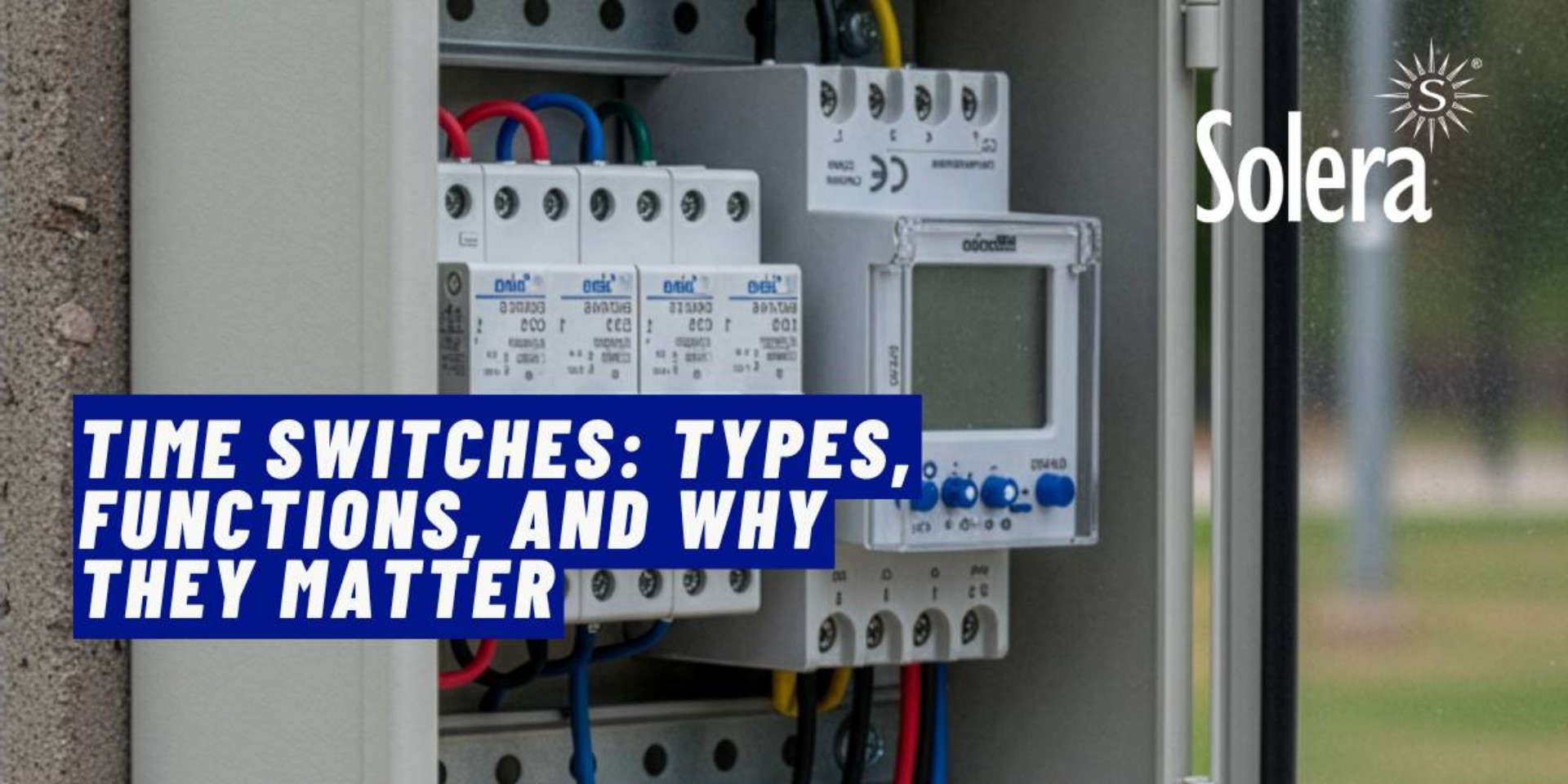
Automating when circuits go live and when they power down is one of the highest-return moves in electrical design. Time switches do exactly that: they open or close one or more outputs on a defined schedule, or around sunrise and sunset. In this practical guide you’ll learn what time switches do, the main types, how to specify the right unit for the load and environment, and where they add the most value across residential, commercial, and light-industrial settings. If you want ready-to-fit DIN-rail models with clear terminals and robust mechanics, start with Solera’s category for time switches.
What a time switch is—and why it matters
A time switch (often called a timeclock, programmer, or scheduler) opens or closes a circuit at defined times. It can work from day-by-day and week-by-week schedules or, in astronomical models, from sunrise and sunset at your location. In practice, that means:
- Energy savings: stop idle consumption outside trading hours; avoid “always on” signage, lighting, and auxiliaries.
- Longer service life: fewer needless starts and better-timed switching extend the life of lamps, drivers, and motors.
- Fewer human errors: automate repetitive tasks and remove “someone forgot to switch it off” from your fault tree.
- Better security: presence simulation, perimeter lighting, and lock-up routines become reliable and predictable.
- Simpler compliance and handover: a documented control strategy that aligns with the board’s protection and labelling makes testing and maintenance cleaner. Where BS 7671 requires surge protection or RCDs, your schedule will still work in harmony with those devices.
For IP-rated outdoor and site work, pair your controller with a sealed enclosure. Solera’s Indubox range gives IP65 options sized for compact and multi-module builds.

The main types of time switches
Not all time switches behave the same. Understanding the families helps you avoid under- or over-specification.
1) Analogue (mechanical) time switches
The classic front dial with push tabs or segments. Advantages: quick, tactile programming; no menus; resilient to casual misuse. Limitations: lower precision, fewer programmes, and no advanced features such as holiday schedules or exception days. A good fit for simple daily on/off logic on moderate loads. If the connected load exceeds the contact rating, drive a contactor and protect the circuit with the right MCB and, where appropriate, an RCD.
2) Digital weekly programmers
Multiple programmes, manual override, countdown, pulse mode, lockout by PIN, and—crucially—power reserve to ride through short outages. The strength here is flexibility: you can tweak schedules without opening the board, and you can document the control logic. They suit interior lighting, ventilation, booster pumps, signage, and basic HVAC routines. Compare options and contact configurations in Solera’s time switches family.
3) Astronomical time switches (sunrise/sunset)
These compute dawn and dusk for your latitude and date. They automatically compensate for the seasons and British Summer Time, so you don’t need a photocell or periodic re-setting. They’re the reference choice for external lighting, signage, and perimeter security. For coastal, dusty, or wet sites, mount in an IP65 enclosure and consider a coordinated surge protection device where the risk profile demands it.
4) Annual programmers with holidays
For long calendars with exceptions, shutdowns, and campaign periods. Useful across education, public buildings, car parks, and retail where opening hours vary by season.
5) Single-channel vs multi-channel
One channel is enough for single loads. Multi-channel units coordinate different circuits from one device—for example, car park lanes, main fascia sign, and architectural accents on a staggered set of schedules. When choosing channels and contact types, pay attention to load characteristics and inrush, especially with LED drivers and power supplies.
Functions that make a real difference
- Power reserve: maintains time and programmes during short outages. Vital in areas with nuisance trips or supply fluctuations.
- Manual override: force a state temporarily without deleting the schedule. Essential during maintenance and testing.
- Pulse and change-over modes: for driving relays, contactors, or PLC inputs without latching a circuit.
- Calendars and exceptions: holidays, close-down periods, term times, and bank holidays.
- Location and astronomical offset: trim a few minutes before or after calculated sunset/sunrise to suit the site and light levels.
- PIN lock: stops unauthorised fiddling with the programme.
- Easy programming: a clear screen or an app-assisted copy function to standardise settings across multiple sites.
- Contact ratings that match the load: check rated current, utilisation category, power factor, and declared inrush capability. If in doubt, use an interposing contactor and protect it properly.
All of the above are available across modern DIN-mount units. Narrow your shortlist in time switches by selecting the number of channels, reserve type, and programming mode your job needs.
Selection criteria: specify right the first time
- Load and power
Identify the load type: LED lighting, halogen, electronic ballast, motor, pump, fascia sign, resistive heating, EV accessories, and so on. Calculate total power and likely inrush. Where the contact rating is tight or the load is highly capacitive/inductive, use a contactor and size the MCB correctly. For a neat, robust enclosure, the Indubox range gives you space and sealing for contactors, control gear, and the time switch itself. - Environment
Dry interior, plant room, wet exterior, dust, chemical exposure, marine air, UV. If the environment is harsh, use an enclosure with the right IP and impact rating. If you need a refresher on ingress protection, this explainer on IP protection is a quick reference. - Control logic
Weekly programme enough, or do you need astronomical control? Will there be frequent exceptions or campaigns? If changes are routine, pick a digital unit that lets you clone and roll out settings. - Power reserve
In areas with micro-outages, battery or supercap reserve avoids losing time and schedule. Check the declared autonomy and replacement approach. - Integration and layout
Group with other control and signalling devices in a tidy board with internal separation, clear labelling, and spare capacity. For projects that need a turnkey board with documentation and tests, Solera’s custom assemblies team can integrate protection, switching, and outlets to your spec.

Installation good practice
- Protect upstream
Protect the time switch’s supply with the correct MCB for the circuit and prospective fault level. Where required, use an RCD of suitable type and rating. Coordinate settings to avoid nuisance tripping when the schedule changes state. - Conductor size and terminal torque
Follow the manufacturer’s guidance for minimum section and torque. Poor terminations heat up and shorten the life of terminals and contacts. - Labelling and documentation
Label terminals, each channel’s output, and the schedule reference. Keep a printed or digital copy of the programme in the board’s documentation wallet. - IP and IK fit for purpose
Allow space around the unit for heat dissipation. Outdoors, choose a sealed enclosure such as Indubox IP65 and use proper cable glands and breathers where appropriate. - Surge protection
Electronics dislike transients. In locations with switching surges or frequent network events, fit a coordinated surge device upstream. Keep leads short and routing tight for best let-through performance. - LED inrush awareness
Many LED drivers present a high inrush. If the contact is not declared for such loads, use an interposing contactor with an appropriate utilisation category. - Time accuracy
Set time, date, and time zone. For astronomical units, enter coordinates and your desired offset from calculated sunset/sunrise. - Functional prove-out
Simulate a full cycle with manual override and verify that switching does not cause unacceptable voltage dip or flicker downstream. Record results as part of your handover pack.
High-impact applications
External lighting and signage
The flagship use case. An astronomical time switch prevents daytime operation on gloomy days and de-energises shortly after dusk according to your chosen offset. Use it for facades, car parks, footpaths, security lighting, and fascia signs. If the run is long or exposed, place the control gear in an IP65 Indubox and consider surge protection where the risk warrants it.
Ventilation and auxiliary plant
Extract fans, purge cycles, circulation pumps, and AHU auxiliaries often benefit from a predictable schedule tied to occupancy. A digital weekly unit trims run-hours without affecting air quality. Drive motors via a contactor and size protective devices to the motor data and duty cycle.
Irrigation and pumping
Night-time watering reduces evaporation and can be staged across zones. Multi-channel controllers are helpful when you need alternating sectors. Enclose in a sealed box with the right IP and include filtration for dust or spray as needed.
Tariff and load management
Where time-of-use tariffs apply, cut non-essential loads during peak bands and shift discretionary consumption to off-peak. In systems with on-site generation, schedule high-draw appliances during solar-rich windows to lift self-consumption. If you also need to specify PV protections and housings, Solera’s assemblies team can deliver pre-built boards to your schedule and protection scheme.
Presence simulation and security
Randomised or staggered on/off windows discourage opportunists. Useful for homes, blocks with common areas, and small offices.
Quick comparison table
| Type | Strengths | Limitations | Typical uses |
|---|---|---|---|
| Analogue (mechanical) | Simple, tactile, low-cost | Lower precision, few programmes | Daily on/off, moderate loads |
| Digital weekly | Multi-programme, exceptions, override, lock | Requires initial configuration | Interior lighting, ventilation, pumps, signage |
| Astronomical | Tracks dawn/dusk, no photocell, automatic BST | Needs correct location/offset | External lighting, perimeter security, shopfronts |
| Annual with holidays | Long calendars, campaigns, shutdowns | More detailed programming | Schools, public buildings, car parks |
| Multi-channel | Coordinate several circuits in one unit | More wiring and board space | Sites with tiered or zoned control |
Board integration: tidy, selective, maintainable
A tidy board prevents faults and speeds maintenance:
- Internal separation: keep power and controls organised, maintain bend radii, and leave room for future ways.
- Upstream protection: choose MCBs for the circuit design current and fault level; use RCDs of the right type and rating where required; and coordinate a surge device if the site demands one.
- Right enclosure: pick IP/IK for the environment. For construction sites and outdoor locations, see Indubox IP65.
- Terminations and cable management: correct conductor section, quality glands, and disciplined routing improve reliability and service access.
Commissioning checklist
- Confirm supply voltage and wiring scheme.
- Check contact rating vs load (steady current, power factor, inrush). If borderline, add a contactor.
- Set time/date, time zone, and BST behaviour.
- For astronomical units, set coordinates and offset.
- Function-test with manual override and simulate a full cycle.
- Label channels, print the programme, and file it with the board docs.
Common mistakes—and how to avoid them
- Underspecifying IP
Outdoor or damp locations demand sealed enclosures. Use IP65 Indubox where appropriate. - Ignoring LED inrush
High inrush on drivers can weld contacts. If the rating sheet doesn’t explicitly cover it, interpose a contactor. - No power reserve
In areas with brief outages or site testing, loss of time ruins the schedule. Specify a unit with adequate reserve. - Undocumented scheduling
Always leave a copy of the programme. Lock settings behind a PIN to prevent accidental changes. - Loose terminations
Incorrect torque = heat and intermittent faults. Re-check after 48–72 hours of operation. - No surge mitigation
Sensitive electronics can suffer from switching events and external disturbances. Fit an upstream SPD where risk and BS 7671 calculations indicate.
Safety and standards: practical notes
Time switches are control devices. Integrate them into an assembly with proper overcurrent protection and protection against electric shock. In public or outdoor locations, choose the right IP/IK and document the control strategy in the O&M pack. If you need a refresher on ingress protection levels, here’s a clear guide to IP ratings. For a robust housing that survives weather and worksites, shortlist Indubox.
Typical use cases at a glance
- Retail: fascia signage on astronomical control; interior display lighting on a weekly programme; separate channel for back-of-house lighting.
- Blocks and estates: common-area lighting on time control; garage extraction tied to hours with sensor override.
- Light industry: compressor and extraction on shift times; wash-down pumps on limited windows.
- Hospitality: terrace lighting with astronomical offset; seasonal campaign lighting with an annual calendar.
- Irrigation: night-time watering on alternating channels, housed in an IP65 enclosure.
- Self-consumption: dishwashers, wash cycles, and storage heaters scheduled into solar-rich periods; for integrated boards delivered ready to wire, see custom assemblies.
Frequently asked questions
Time switch or staircase timer?
A staircase timer creates a timed pulse after a pushbutton; a time switch follows a set schedule. For daily/weekly control, choose from time switches. Where you also need pushbuttons, indicators, or other control components, plan space and segregation in your enclosure.
How do I size the contact?
Start from the load’s steady current, type, and power factor, then consider inrush. If the contact rating is marginal for drivers or motors, use a contactor and size the MCB appropriately. Keep cabling short and tidy to minimise voltage drop and disturbance when switching.
Which IP rating do I need?
In a dry interior within a closed distribution board, IP20 may be fine. In dusty or wet locations, choose an enclosure with an appropriate rating such as Indubox IP65. If you need the detail behind the numbers, review IP protection.
Do I need a power reserve?
Yes, if brief outages or site testing are likely. Reserve keeps time and programmes intact. Check declared autonomy and maintenance notes.
Will it play nicely with protective devices?
Yes. Time switches coexist with MCBs, RCDs, and SPDs. A clear board layout, correct device selection to BS EN standards, and proper documentation prevent nuisance trips and mysterious “off-schedule” behaviour.
Buyer’s quick guide
- Define the job: daily simple, flexible weekly, astronomical, or annual with holidays. One channel or multiple?
- Confirm the load: power, type (LED/motor/resistive), inrush. Will you need an interposing contactor?
- Assess the environment: required IP/IK. Is an IP65 enclosure appropriate?
- Choose features: reserve, override, calendar, lock, cloning of programmes.
- Plan the board: DIN space, termination access, labelling, and O&M docs.
With those steps, you’ll narrow the field quickly inside the time switches category and avoid redesigns late in the job.

Conclusion
Time switches deliver outsized returns: lower bills, tidier operation, and longer equipment life. Pick the right type—analogue, digital, astronomical, annual; single- or multi-channel—then mount it in a board that’s protected, labelled, and easy to service. Start by defining what you will switch, when, where, and under which site conditions. Then land the solution with the models in time switches. For exterior or site use, house them in Indubox IP65 and coordinate upstream protection to BS 7671 principles. The result: a board that takes care of itself, cuts wasted hours, and makes handover and maintenance straightforward.
FAQ snapshot
Can I switch LED loads directly? Often, yes—but check inrush. If the contact isn’t declared for capacitive loads or high peaks, interpose a contactor.
Astronomical or photocell? Astronomical control isn’t fooled by overcast days and avoids false triggers. You can still add a photocell for redundancy if you wish.
How often should I revisit the programme? Review at season changes, before campaigns, and after any prolonged outage if there’s no reserve.
What IP rating should I specify outside? Commonly IP65 with proper glands and, where needed, drainage/breather accessories.
How do I protect sensitive electronics? Fit a coordinated SPD where risk justifies it, and observe best-practice lead lengths and bonding. Keep terminations tight and routes short.
Explore the full family of time switches, then build out the enclosure and documentation with enclosures and, when needed, custom assemblies that arrive ready to wire and test.